The Bulk Feed (Feed Automation) feature of IGAutomate is the ultimate organic relationship manager for your Instagram. Instead of spending hours mindlessly scrolling your timeline and liking or commenting on the posts of people you follow, this tool automates your timeline interactions with total precision.
The Instagram algorithm heavily favors active and social profiles. By interacting consistently with posts of your friends, partners, and prospects, your profile is prioritized at the top of their feeds. It is the most robust strategy to revive organic engagement overnight!
-
STEP 1
Choose your Feed Action Preferences
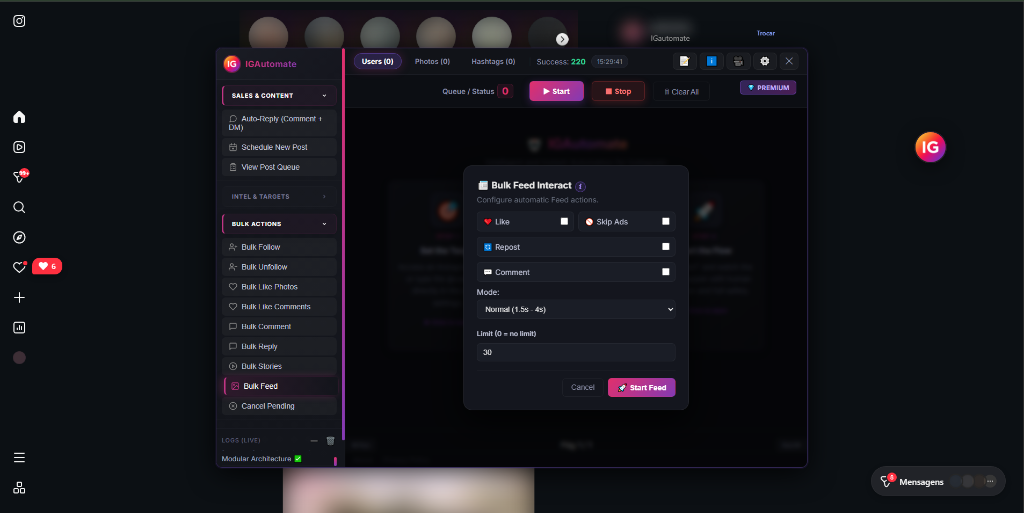
Open the IGAutomate dashboard and navigate to the "Bulk Feed" tab. In the overlay panel, toggle the actions you want the bot to perform: check "Like" to like posts, check "Skip Ads" to ignore annoying sponsored posts, check "Repost" to share posts, or check "Comment" to write automated comments. Set your human delay speed and safely set a post limit (e.g. 30 posts).
-
STEP 2
Automated Browsing & Timeline Interaction
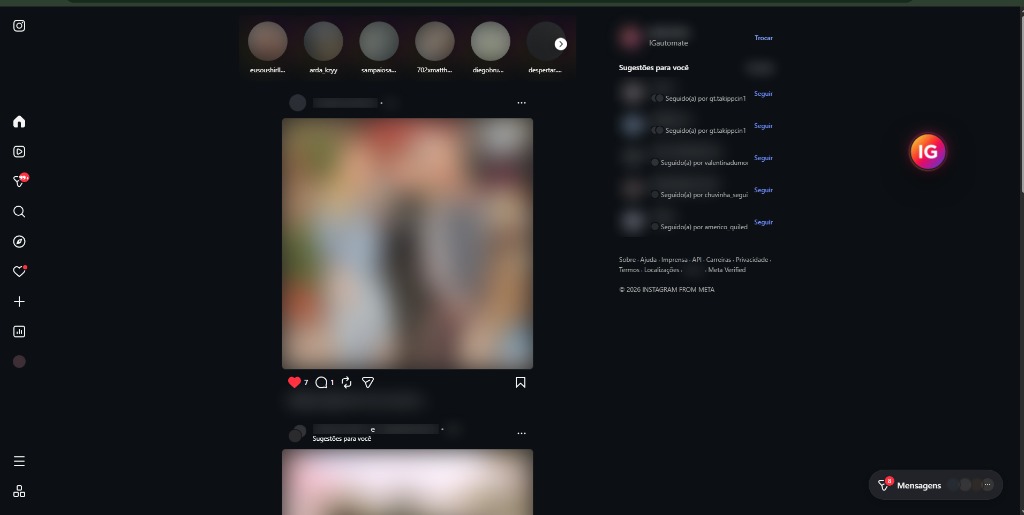
Click on "Start Feed". The bot will open your Instagram home timeline and begin reading posts in a fluid, natural manner. It perfectly emulates human scrolling and mouse hover events, identifies images or video posts, applies interactions, and includes organic delays to bypass blocks.
-
STEP 3
Monitor Interactive Feed Progress & Logs
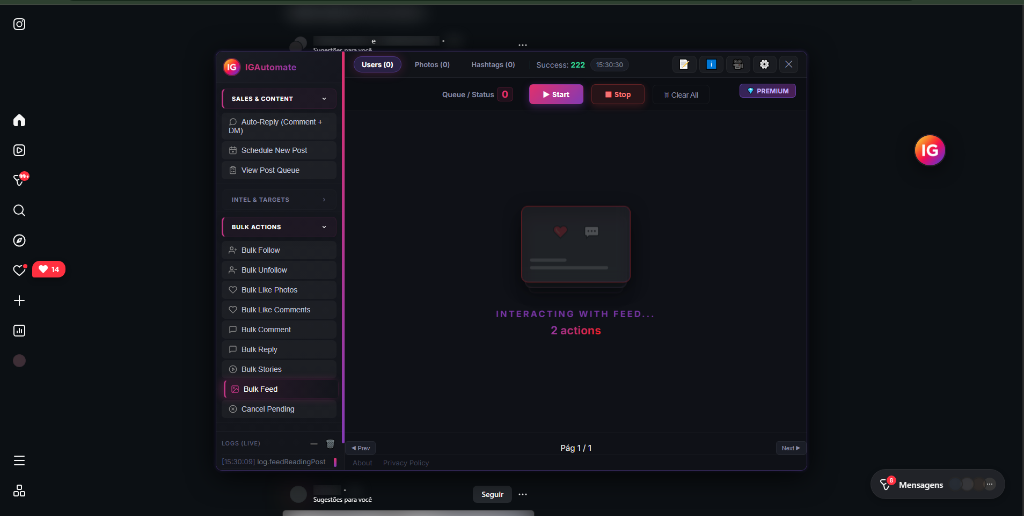
Keep track of the live feed operations in real time on the extension panel (e.g. "INTERACTING WITH FEED... 2 actions"). Verify the bottom-left logger panel (`log.feedReadingPost`) to confirm that each interaction is completed successfully and safely.
Why is the "Skip Ads" option crucial for Feed Automation?
Instagram fills your timeline with massive sponsored ads that waste your valuable automation limits and provide no organic return. IGAutomate's native **Skip Ads** filter instantly detects these advertisement cards and skips them, preserving 100% of your bot limit for real user profiles.
This intelligent filtering increases the reciprocity of your timeline interactions, since you interact exclusively with accounts that can follow you back or click on your website!
Pro Tip: When using automated comments, write generic, positive, and friendly remarks. Comments like "Awesome post!" or "Love your content!" fit naturally into almost any publication, encouraging genuine feedback and profile visits!
Recommended Guidelines for Maximum Safety:
- Keep Human Delay Modes: Always keep the delay speed set to "Normal" to guarantee human-like timing that easily stays below Instagram rate limits.
- Set Moderate Daily Quotas: We recommend automating 30 to 50 posts per session to maintain natural visibility and organic profile health.
- Perform One Automation at a Time: To protect your account, run the Feed module independently and avoid launching multiple bulk action modules concurrently on the same profile.
Comparison: IGAutomate Extension vs. API Cloud Automation
| Feature |
IGAutomate Extension (100% Safe) |
API / Cloud Automation Bots |
| Execution Method |
Visual browser automation with realistic human delays |
Direct raw HTTP/JSON server requests over proxy clouds |
| Account Safety |
No credential sharing (utilizes active Chrome session) |
Requires typing password (very high risk of block list) |
| Smart Filtering |
Integrated native filter to instantly detect and skip advertisements |
Watches ads blindly, wasting precious daily limit quotas |
Ready to run your timeline interactions on total autopilot?
Save hours of repetitive manual scrolling and keep your profile at the forefront of your followers' feeds.
100% Autopilot
Timeline Engagement
36h Free
Full Premium Trial Access
Boost your profile engagement by staying active passively.
Start a 36-hour unrestricted premium trial of all 16 automation modules. No credit card required.
🚀 START FOR FREE — INSTALL NOW
Verified Extension in Chrome Web Store • Runs securely inside your browser (Chrome, Edge, Brave, etc.)
 Português
 English
 Español
 Indonesia
 Deutsch
 Français
 हिन्दी
 فارسی
فارسی